Furniture retail software
Everything an independent furniture store needs — the sale, the stock, the money — plus the one thing no other system at this price does properly: getting the furniture to the house.
The gap
You have software for the sale. You have nothing for the ninety minutes that decide whether the customer is happy: what goes on the van, when it gets there, who signed for it, and what they still owe.
Sending the van out to the same house a second time. Two staff, the fuel, and the hour on the phone explaining. Industry estimate — put your own figure into the calculator below.
Rebuilding tomorrow’s delivery sheet, every evening, in a spreadsheet that gets overwritten. About 190 hours a year.
Every “where is my order?” call, because the answer is split across a spreadsheet, a whiteboard and the driver’s head.
Two minutes, no sign-up
Move the sliders to match your shop. Nothing is sent anywhere — this runs entirely in your browser.
The gap is costing you
$23,024
a year — roughly $1,919 a month
The round
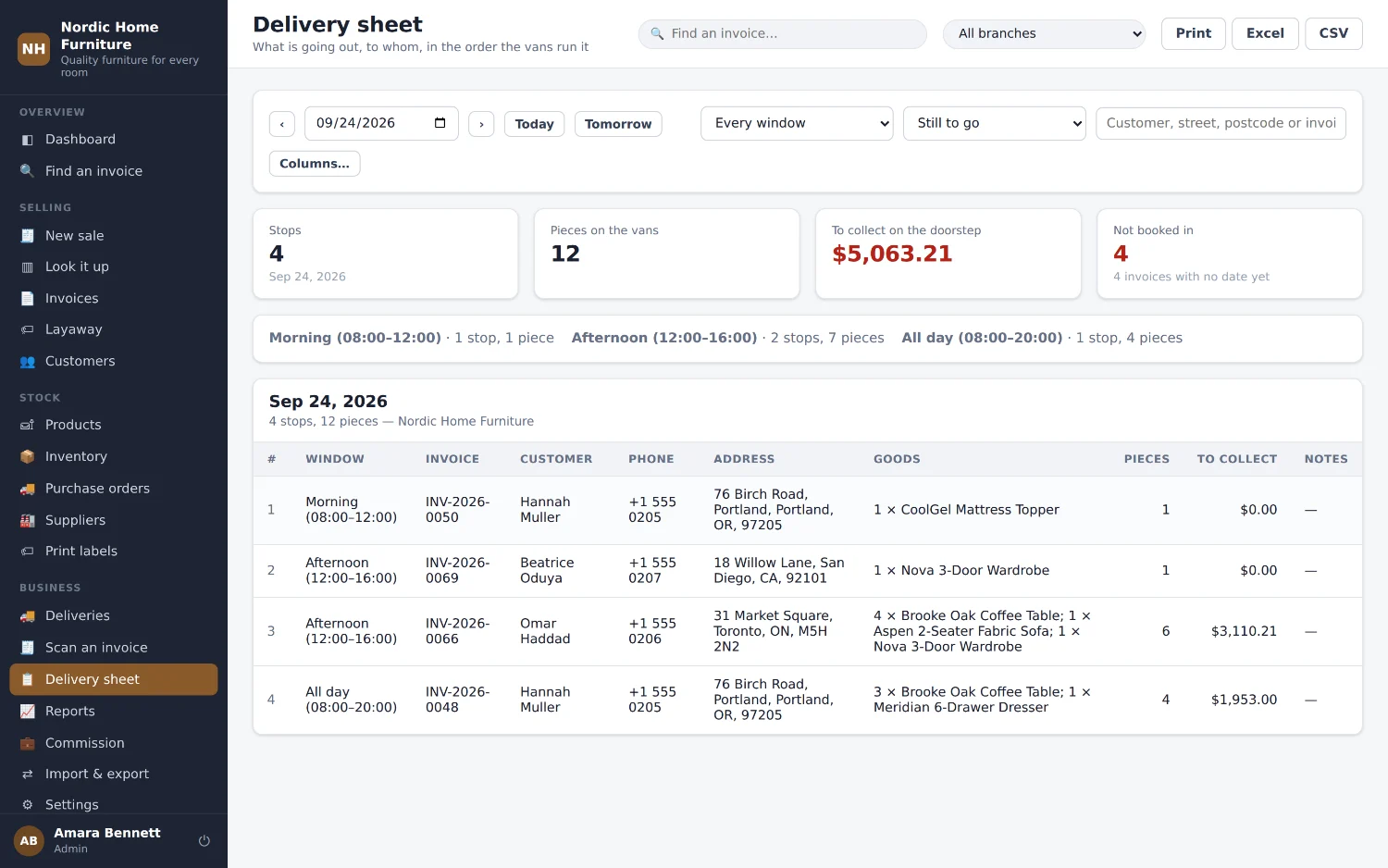
The 45 minutes somebody spends rebuilding this spreadsheet every evening — about 190 hours a year — and the wrong-item trips that bad sheets cause.
Proof of delivery
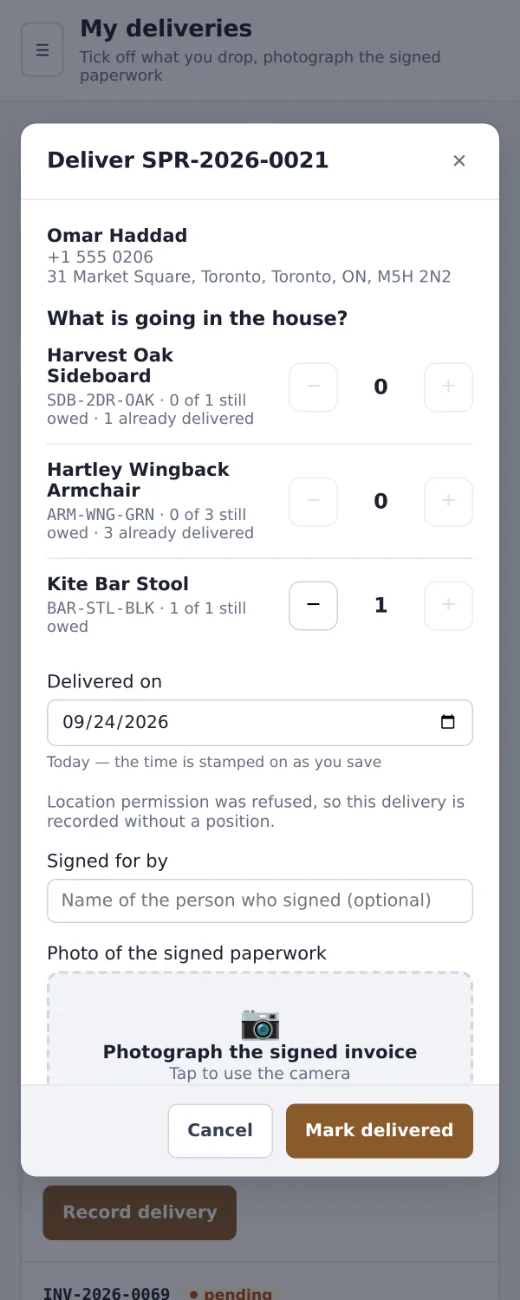
One disputed delivery a month. “It never arrived” meets a photograph, a time and an address — and a single written-off sectional costs more than a year of this.
One scan
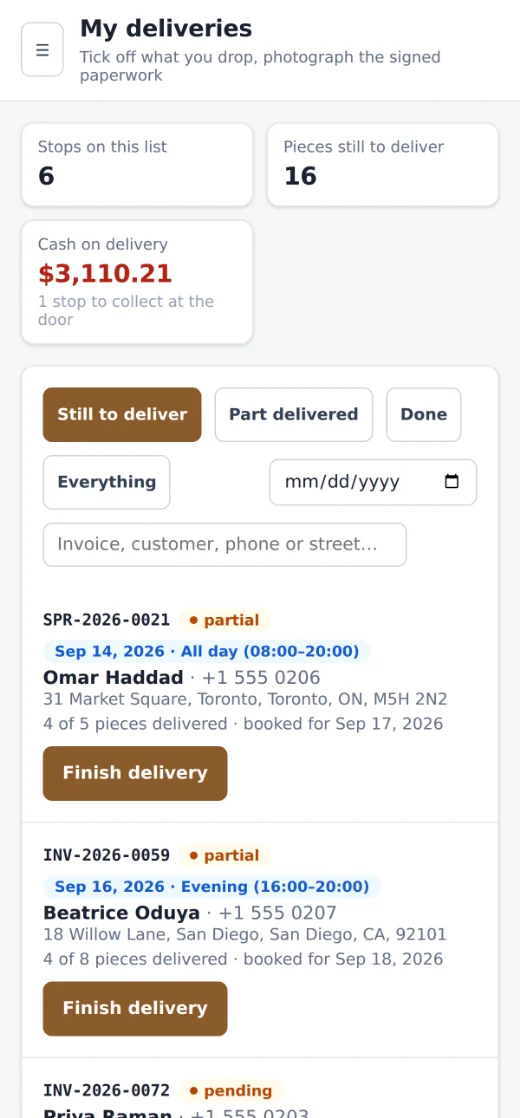
This is the part people do not believe until they watch it. One scan on a phone at somebody's front door, and the whole business behind it moves — the order, the money, the customer, the books. Nobody rings the office. Nobody writes anything down to type in later.
The ninety minutes that decide whether a customer is happy used to leave no trace at all. Now the van gets back and there is nothing to catch up on, because it was all done at the door.
On any phone
Install it from a link — an icon on the home screen, full screen, no app store, nothing to update, ever. It is the same system you use at the desk, laid out for a phone, and everyone gets the screens their own job needs. Run the place from the showroom floor, from a supplier's warehouse, or from your kitchen on a Sunday.
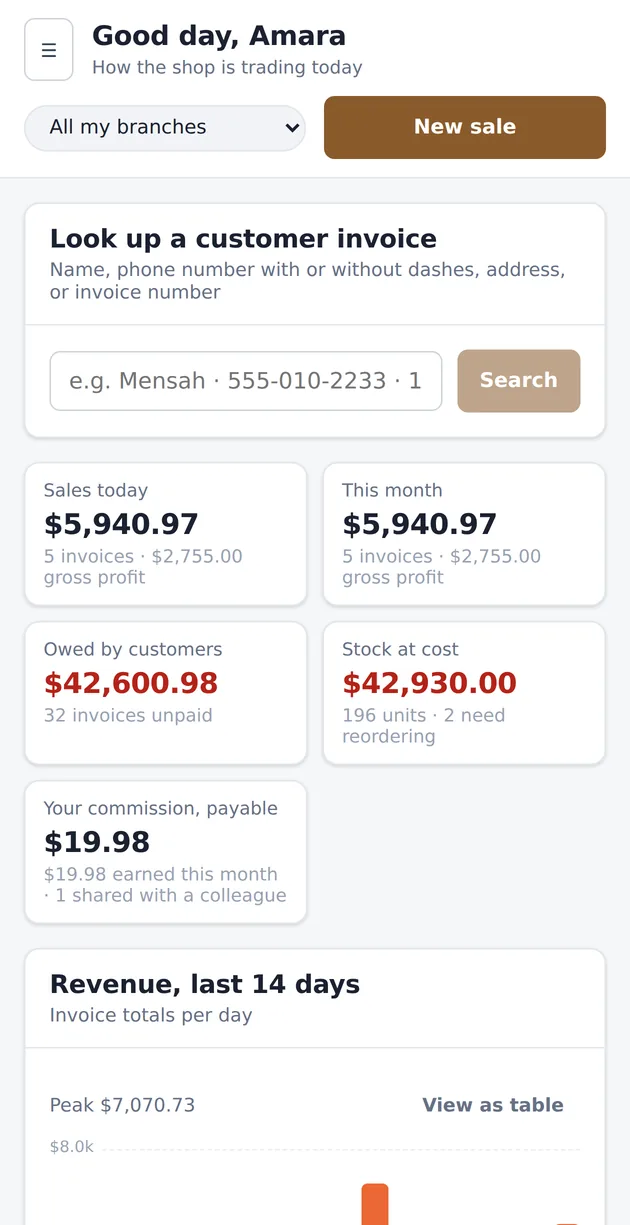
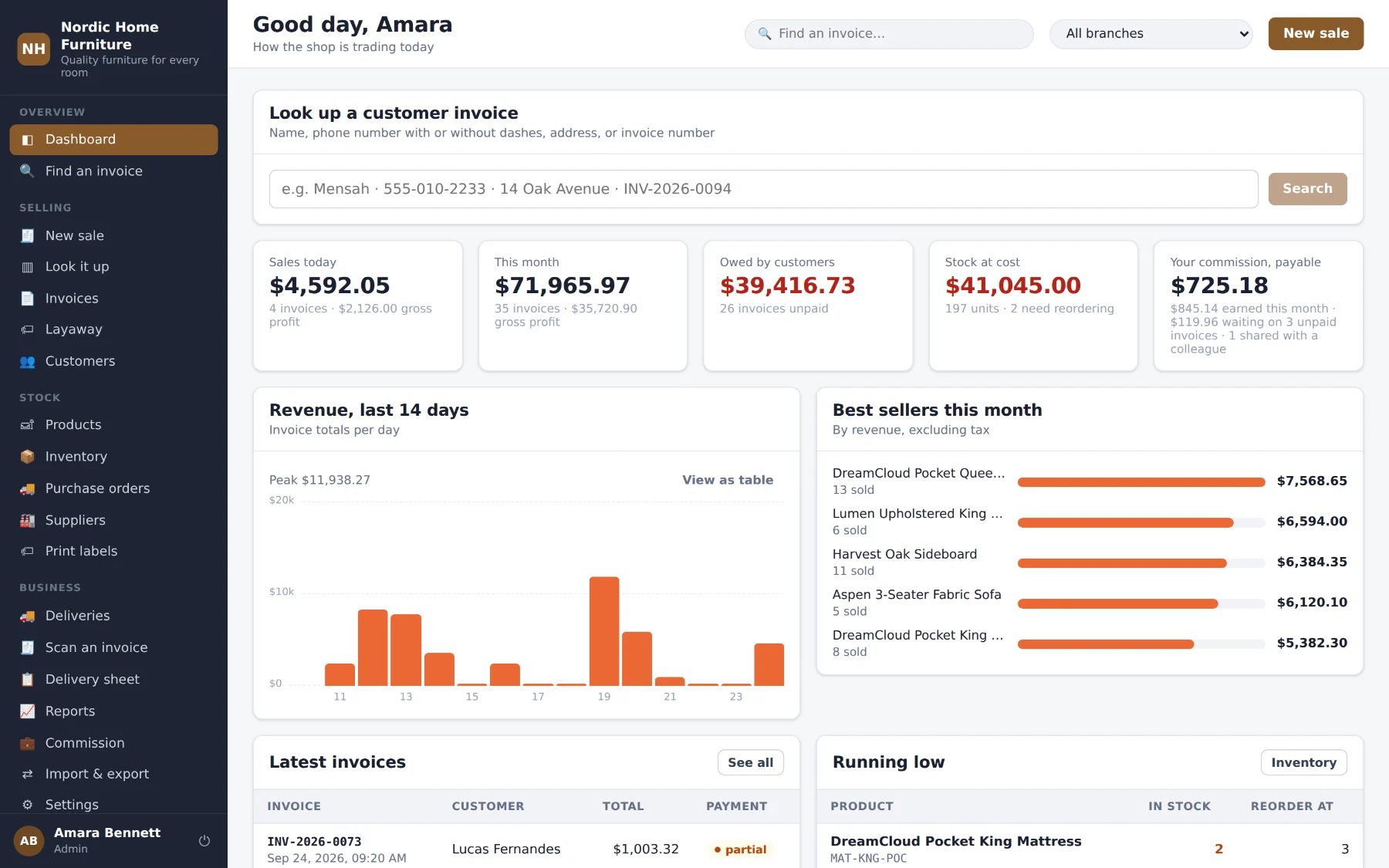
What came in today, what customers owe you, what your stock is worth at cost and what needs reordering. Switch between branches with one tap, or look at the whole group at once.
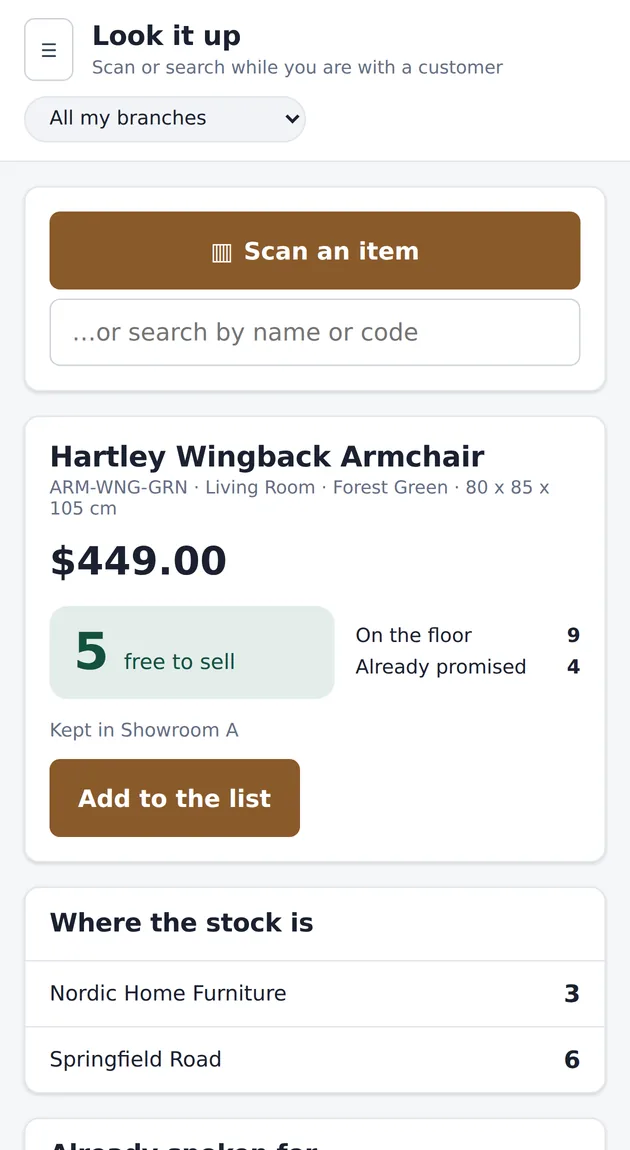
Scan the label while standing with the customer. Not just “in stock” — how many are genuinely free to sell, how many are already promised to somebody else, which branch has the rest, and when more arrive.
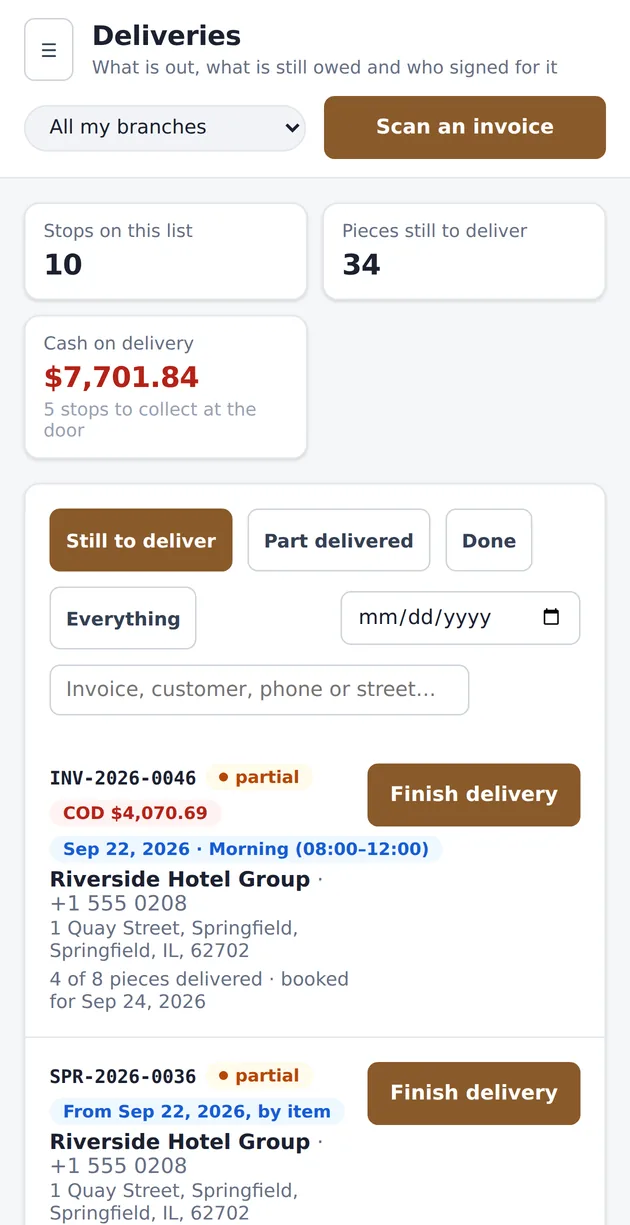
The day's stops in order, what is on board for each, and what to collect at the door. One big button: Scan an invoice. A driver's login opens these screens and nothing else — no prices, no reports, no customer ledgers.
Everything in the box
No modules to buy later and nothing switched off to make you upgrade. Every tier includes the whole of this list — the price only changes how many branches you may run. A salesperson is useful on it the same afternoon; most of it is one screen with the next thing to do already on it.
The screen your salespeople live on all day.
Search the catalogue, discount a line or the whole invoice by amount or percent, add delivery, assembly, custom and made-to-order lines
Take part now and the rest at the door. As many payment types on one invoice as the customer wants to mix
A deposit, an instalment schedule, and the goods released the moment the balance clears
Sell the next one you order, not just what is on the floor — with what is already on the way and which branch is holding one
A credit account per customer, spent like any other tender, with a statement behind every penny
Contact and delivery details, purchase history, lifetime value, and exactly what they still owe
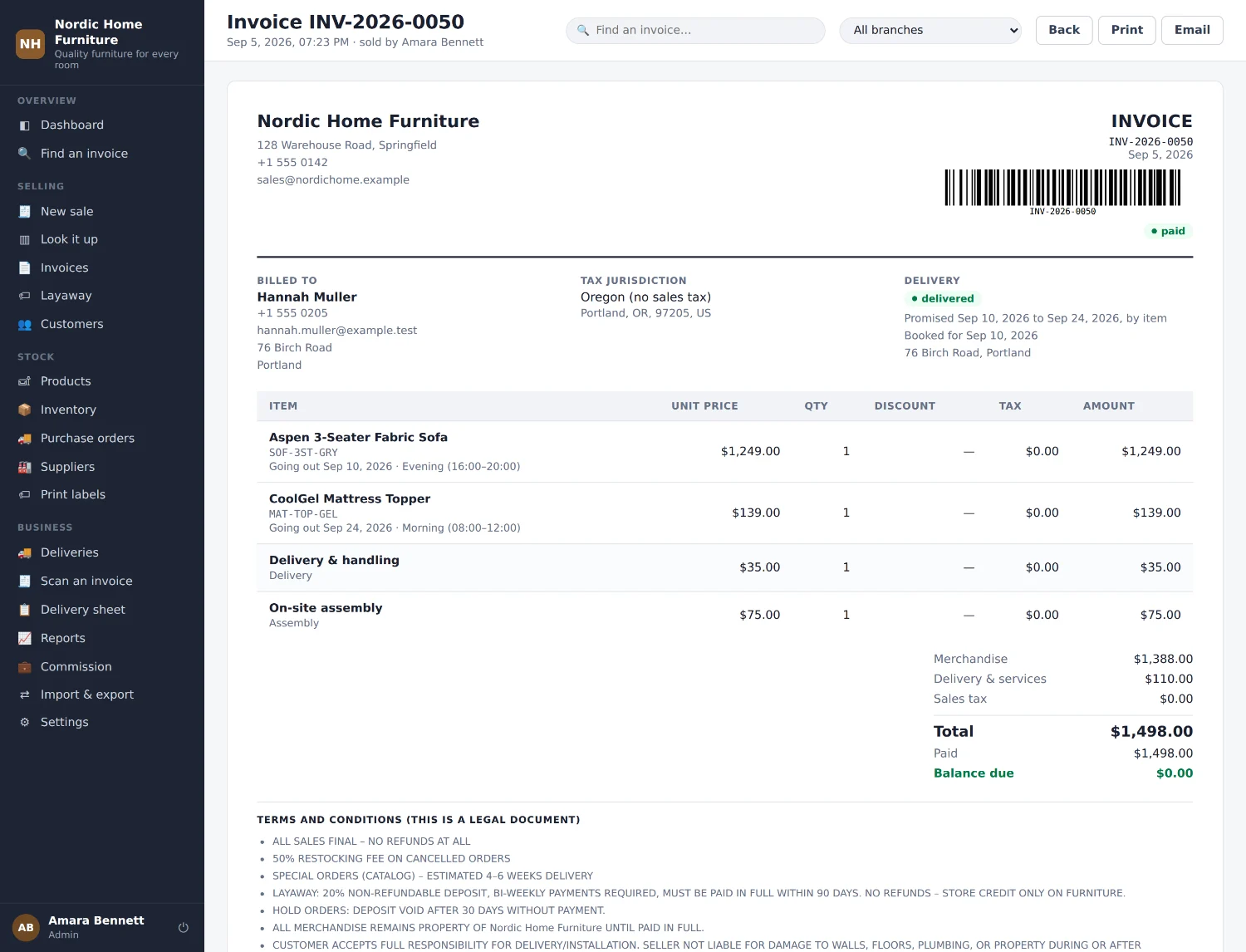
Paperwork that comes out right the first time.
Sequential numbers, your own letterhead, part payments and a running balance
Zones by state, county, city and postal code. Compound components, exempt classes, charged where you choose
Restocking fee, tax refunded on what came back, each piece marked sellable or written off, numbered credit note
The sentences that decide who pays when something goes wrong, with somewhere to sign — at the counter and at the door
Half of this product. It is where furniture retail actually goes wrong.
A sofa in stock and a table on back order do not have to share a date. One tick promises the whole order where they do
A limit on stops per day and per window, counted across every branch. A full slot greys out at the till before anyone promises it
Tomorrow's stops in the order the van drives them, the goods on board, the money to collect. Your columns, printed or as Excel
A photograph of the signed ticket, stamped with the minute and the place it happened
The drop that finishes an order clears its balance, or the driver cannot close it
Booked, on the van today, part arrived, all arrived, cancelled — by email and text, in your words, without anyone remembering to
One number for what you own, and a reason behind every change to it.
Cost, price, margin, reorder level, material, colour, dimensions and where it is kept
Every unit in and out explained — sold, received, transferred, damaged, counted or returned
Raised per supplier. Receiving one raises the stock and updates your cost prices
Scan at the till with any USB or Bluetooth scanner. No barcodes on your stock? Print your own from the SKU
Two-sided, so both floors stay honest about what they are holding
Who did what, and what they are owed for it.
Per person, per category, or both. On revenue or on gross profit. Split between two people who closed it together
Commission becomes payable once the customer has settled in full. A layaway still being paid off waits its turn
What was handed to whom, never offered twice, and a spreadsheet for whoever does the wages
Owner, administrator, manager, sales and driver — each sees the screens their job needs and none of the rest
The Sunday-afternoon spreadsheet, deleted.
Revenue, gross profit, discounts and tax by day, week or month. Best sellers, revenue by category, dead stock, aged debtors, revenue by salesperson
What actually came in, by tender — cash to count by hand kept apart from card and transfer
Thirteen reports out as .xlsx or .csv with the figures as numbers. Your catalogue and years of history in, checked before a row is written
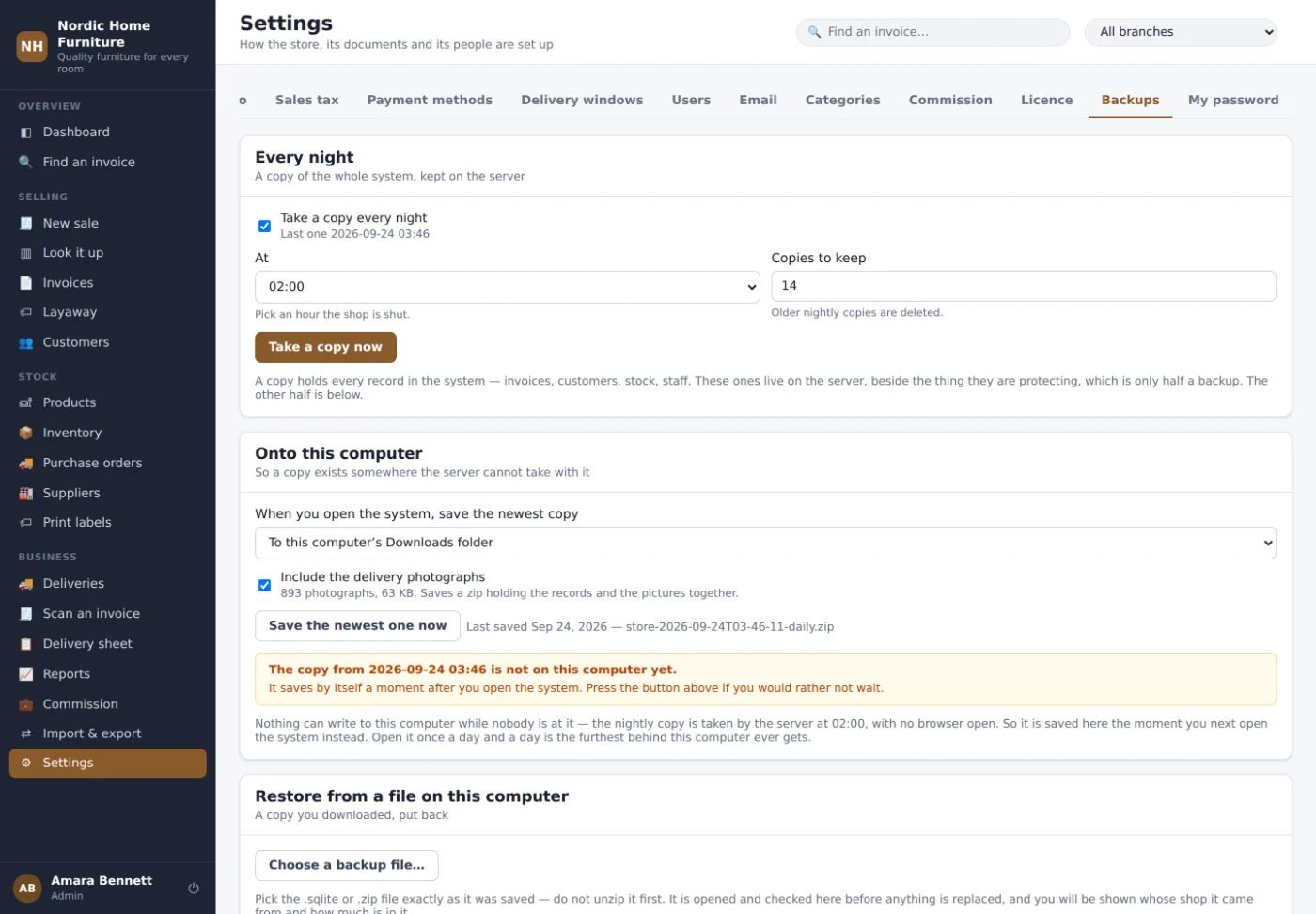
A copy of everything every night, and onto your own computer every time you open the system
It should look like your shop, because it is your shop.
Set once. It runs through every screen, the sign-in page and the printed invoice
Per-branch stock, invoice sequences and reporting — or put the whole group on one shared floor
Fourteen sections with a search box above them. Type VAT and the tax screen comes up
Install from a link. An icon, full screen, no app store, nothing to update
The paperwork
Most “where is my order” calls never get made, because the customer is holding the answer.
Your records
Taken nightly on the server, then saved down automatically the moment you open the system. Point it at a Dropbox or OneDrive folder and the copies leave the building by themselves.
You can put one back yourself, from your own settings screen, without ringing anybody. If this business ever stopped, you would still hold every invoice you have ever written.
What changes
| How it works now | With OffshoreUp | |
|---|---|---|
| Planning tomorrow’s van | 45 minutes in a spreadsheet, every evening | Printed in one click, in route order |
| “Where is my order?” | Three people, three answers, eight minutes | One screen, ten seconds |
| Proving a delivery | A shoebox of signed tickets, if you’re lucky | Photo, time and address, in twenty seconds |
| Money owed at the door | Whatever the driver remembered | The stop won’t close until it’s collected |
| Month-end commission | An afternoon, and an argument | Already worked out, split, and only on settled invoices |
| If the office computer dies | You find out what you actually had | Last night’s copy is in your own cloud folder |
What it costs
One location, no delivery module
One location that runs its own vans
Up to three branches, then $79 each
$950 to set you up — your own web address, your catalogue and sales history imported, your tax, staff and terms configured, and two hours’ training.
Getting started
Your old system stays exactly where it is until you say otherwise. That one line removes more fear than anything else we say.
Your product list and last year’s invoices, in whatever format they’re in. We import and check them, and show you what landed before anything is written.
Your own web address with a certificate, your logo, your tax zones, your staff accounts, your terms.
With your own catalogue and your own customers already in it. Not a demo store.
And we’re on the phone that week whenever you need us. You’ll be talking to the person who built it.
Questions
Don’t. Keep your current system running — we’re not asking you to turn anything off. We load your catalogue and your history, you run a fortnight on both, and if it isn’t better you’ve lost nothing but the setup fee. January is usually the right month, and we’d rather start you then than rush you now.
It comes with you. Products and sales history both import from a spreadsheet, and the importer does a dry run first so you see exactly what is going to land before anything is written. Send us last year’s invoices and we’ll load them into a store with your name on it, free, so you can search your own customers in it before you decide anything.
He has a phone and uses it all day. There’s no app store and no password to forget — it’s an icon on the home screen, and there’s a two-minute video made for drivers rather than for owners. If the driver won’t use it, that’s our failure and not his.
One store, live now, and we’ll give you their number so you can ask them anything you like — including what’s annoying about it. That’s the honest answer. The other half of it is that being early is why you’re getting this price with the person who built it answering the phone.
A working store with a full year of trading in it. Four boxes and your login is on the screen — not in your inbox tomorrow, not after a sales call. Nobody has to ring you.
You are in
A copy is on its way to your inbox. It is a shared demonstration with made-up stock and made-up customers — change anything you like, nothing in it is real.

It lands as an icon on the home screen and opens full screen, with no browser bar — the same as it will for your staff.